Provider
Plusnet hub battery backup
Since home phones moved onto broadband, a Plusnet landline goes dead the moment the power fails, because the hub switches off. Here is why, what Plusnet customers are entitled to, and how to keep the line working for hours.
On this page
Why your Plusnet phone stops in a power cut
Old copper landlines were powered from the telephone exchange, so they kept working when your lights went out. Plusnet's digital phone service runs through your broadband hub instead. When your home loses power, the hub, the Wi-Fi and the phone line all go off together.
Plusnet's digital landline runs through the Plusnet hub, so it needs power to keep working.
Cordless phones add a second problem: their base station also needs mains power. So even with a working line, a cordless phone goes silent in a power cut.
Which Plusnet hubs LineKeeper fits
Plusnet Hub models use a 12V supply. Hub models change over time, so the quickest check is the label on your hub's power plug. If it says 12V, LineKeeper fits.
Adapter tips for common hub sockets and a splitter lead for a separate fibre box are included in the box.
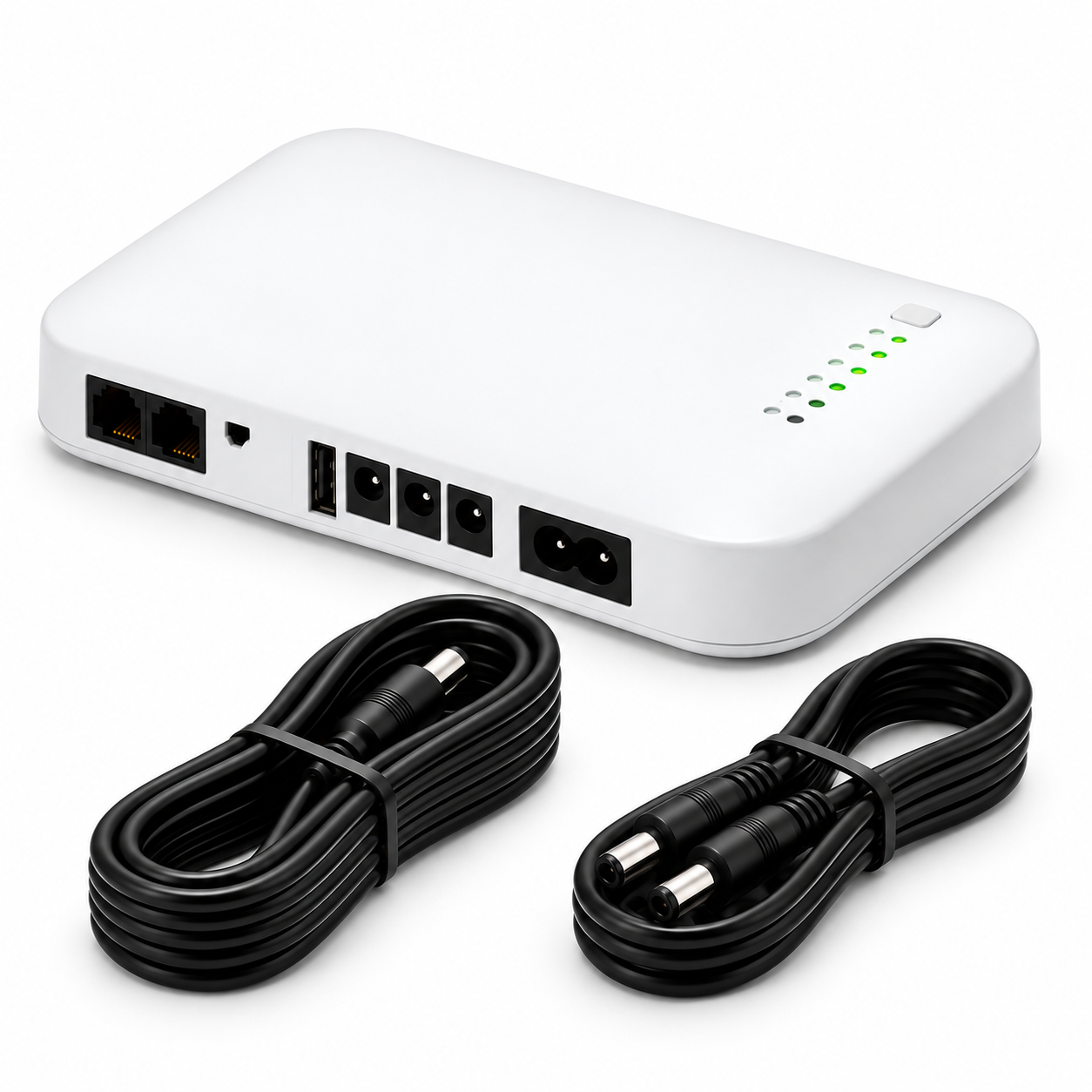
LineKeeper™ Hub Battery Backup
4+ hours of backup · fits in 60 seconds · free UK delivery · 90-day money-back
From £89
Plusnet and the switch to digital
Plusnet uses the Openreach network, so its customers follow the same move to digital phone lines as BT and EE customers.
The fix is the same too: keep the Plusnet hub powered and keep a corded phone plugged into it.
Will Plusnet give me a free battery backup?
Under Ofcom guidance, providers must offer a free solution to customers who depend on their landline, for example people with a telecare alarm or no mobile signal at home. That solution only needs to keep 999 calls possible for at least 1 hour.
If you think you qualify, contact Plusnet and say you rely on your landline. If you don't qualify, or you'd like longer cover, a hub battery backup is the simple alternative.
Plusnet backup options compared
How the common options stack up for keeping a home phone working.
| Option | Runtime | Keeps Wi-Fi on | Automatic |
|---|---|---|---|
| Provider free solution (if eligible) | At least 1 hour | Varies | Varies |
| Mobile phone only | Until battery runs low | No | n/a |
| USB power bank | Varies, usually 5V only | Rarely | No |
| LineKeeper Hub Battery Backup | 4+ hours | Yes | Yes, zero seconds |
How long will the backup last?
LineKeeper has a 74 Wh battery. A typical UK broadband hub uses roughly 10 to 15 watts, which gives 4 hours or more. Powering a separate fibre box as well, or an older hub that uses more power, shortens that. Fewer connected devices make it last longer.
For comparison, providers only have to offer a solution that lasts at least 1 hour. Many UK power cuts, especially in storms, last longer than that.
| What LineKeeper is powering | Typical runtime |
|---|---|
| Modern broadband hub only | 4+ hours |
| Hub plus separate fibre box | Less than hub alone |
| Older or high-power hub | Less than 4 hours |
| Provider minimum (Ofcom guidance) | 1 hour |
Is LineKeeper right for your home?
It's a good fit if: your phone now plugs into your broadband hub; someone at home relies on the landline or a pendant alarm; mobile signal is weak where you live; or you buy for a parent who lives alone.
It's not the right fit if: your hub's plug label doesn't say 12V; you need to power a computer, TV or fridge (LineKeeper is made only for hubs and fibre boxes); or your alarm already has its own mobile (SIM) connection and you don't use the landline.
Not sure? Try it for up to 90 days. If it doesn't suit you, send it back for a full refund.
How to fit it, step by step
- Charge it. Plug LineKeeper into the mains and let it charge fully. It stays plugged in from then on.
- Check the plug label. Look at the label on your hub's power plug. If it says 12V, LineKeeper fits.
- Connect the hub. Unplug the hub's power lead from the hub, plug it into LineKeeper, then plug LineKeeper's output lead into the hub.
- Add the fibre box if you have one. If a separate white Openreach box on the wall also has a power lead, use the splitter lead in the box to power both.
- Plug in a corded phone. Keep 1 corded phone plugged into the hub's phone socket. Cordless bases need mains power, corded phones don't.
- Test it. Switch the socket off at the wall. The hub lights should stay on and you should still get a dial tone.
LineKeeper™ Hub Battery Backup
4+ hours of backup · fits in 60 seconds · free UK delivery · 90-day money-back
From £89
Sources and further help
How we write our guides
Written by the LineKeeper team in plain English. We check facts against Ofcom, Openreach and provider guidance, and update guides when the rules change. We sell the LineKeeper Hub Battery Backup, and we say when it isn't the right fit. About us.
Related guides
Helpful answers
Frequently asked questions
Straight answers to common questions about plusnet hub battery backup.
Does LineKeeper work with Plusnet home phone?
Yes, as long as your Plusnet hub runs on 12V. LineKeeper keeps the hub powered, and the hub carries your calls, so the line keeps working while the battery lasts (4+ hours on a typical hub).
Will it void my Plusnet hub warranty?
No. LineKeeper only supplies power through the hub's normal power socket. Nothing is opened or modified.
Is LineKeeper made by Plusnet?
No. LineKeeper is an independent product that works with Plusnet hubs and other 12V UK broadband hubs, so it keeps working if you ever switch provider.
Can I call 999 on Plusnet in a power cut?
Only if the Plusnet hub has power, or from a charged mobile with signal. With LineKeeper behind the hub and a corded phone plugged in, 999 calls work as normal.
Do I need an engineer to fit it?
No. Fitting takes about 60 seconds: move the hub's power lead into LineKeeper and plug LineKeeper into the hub. No app, no settings.
Is there a guarantee?
Yes. Every order has a 90-day money-back guarantee and free tracked UK delivery.
Keep your line on through the next power cut
From £89 (was £178). Free tracked UK delivery, 90-day money-back, fits in 60 seconds.
Choose your pack